Put your iPhone on the table and focus on the conversation. MeetingPuck does the rest – on the device, with nothing uploaded.
MeetingPuck shows your upcoming events. One tap takes over title and participants and suggests the matching meeting type (weekly sync, customer meeting, workshop …) and folder. You confirm that everyone has been informed – the minutes record it with the time.
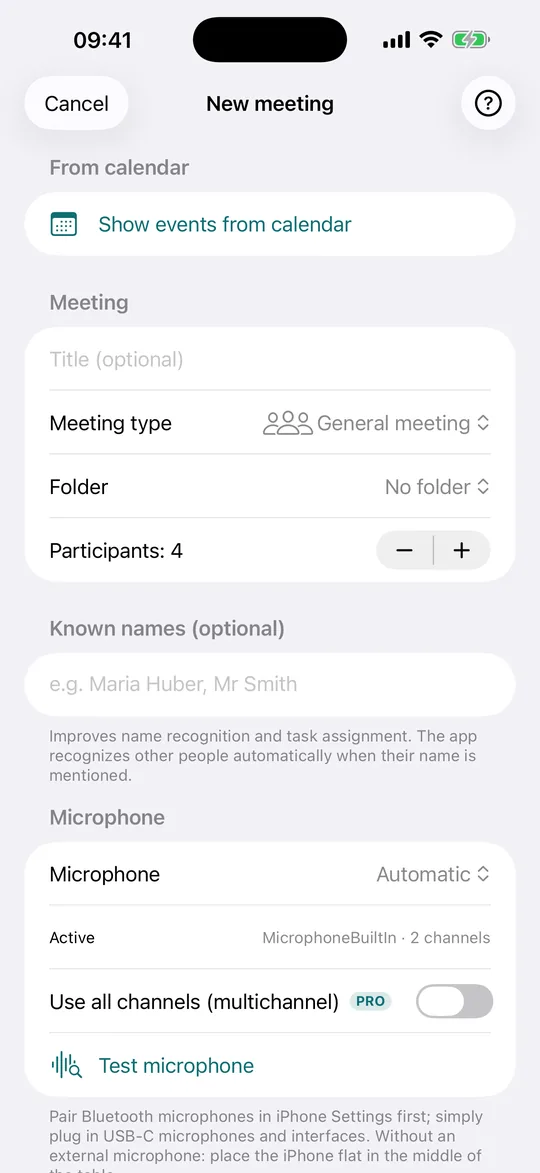
Recording continues even with the screen locked. When something important comes up, tap Mark – on the iPhone, on Apple Watch or on the Lock Screen. A long press lets you choose between important, decision and task.
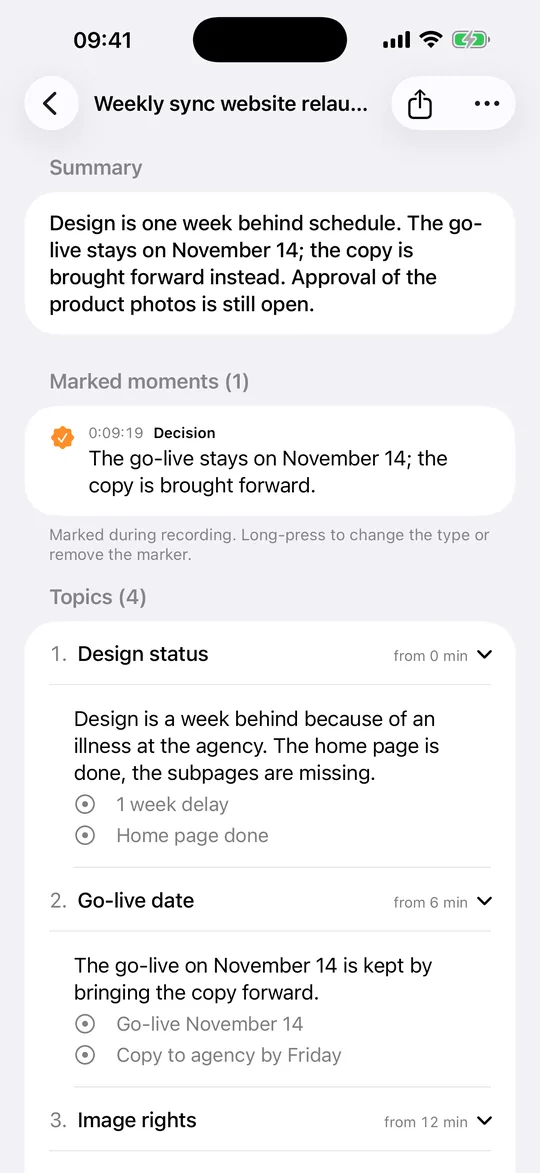
MeetingPuck transcribes, structures by topic and writes the minutes: summary, decisions, open points and tasks with owner and due date. You review the tasks and add them to Reminders or Calendar with one tap – or share the minutes as PDF.
Instead of searching old notes, you ask: “What did we decide about the go-live?” MeetingPuck answers from all your meetings and cites the source and time – one tap plays exactly that passage.
“… design is a week behind, we won’t make that up. We’ll keep the go-live on the 14th anyway and bring the copy forward. Anna, can you send the copy to the agency by Friday? …”
“… we’d actually need the second phase in March already. — We can’t commit to that right now; we’ll check by the end of next week and get back to you. …”
“… what if we did the training by video? — Or on site, but just one day. — I like video, we could reuse it. …”
Recording, transcript and analysis run on the device. No upload, no account, no IT approval for a cloud service needed.
Who does what by when – with owner and due date, straight into Reminders and Calendar. The minutes are ready when the meeting ends.
Long meetings are structured by topic. The detailed report shows every topic with its own points.
Marked moments and meeting types make sure the analysis pays attention to what matters to you.
Names of colleagues and customers and your technical terms are learned and spelled correctly.
In a meeting room without Wi-Fi, on the road, on a plane: recording and analysis need no internet connection.
| Taking notes by hand | Typical cloud services | MeetingPuck | |
|---|---|---|---|
| Full attention on the conversation | no | yes | yes |
| Data stays on the device | yes | no | yes |
| Tasks with owner and due date | manual follow-up | partly | yes, after your review |
| Works offline | yes | no | yes |
| Account / bot in the call required | no | usually | no |
“Typical cloud services” describes how online transcription services usually work; individual providers may differ.
Questions? Write to support@meetingpuck.de.
 MeetingPuck